Automating the Verification Step
You Already Have the Checklist
In Lesson 1, you learned how to write acceptance criteria: Given/When/Then scenarios that define exactly how your software should behave. During Sprint 1, you verified those criteria yourself. You opened the application, clicked through the features, and checked whether the software did what your acceptance criteria said it should do. Pass or fail.
That works. But think about what it actually requires.
A person has to open the application, set up the starting condition for each scenario, perform the action, and visually confirm the result. Every time. For every scenario. After every change. If your application has ten acceptance criteria, that is ten manual checks after every change. If it has fifty, that is fifty. If the person doing those checks goes on vacation, gets pulled into another project, or is busy verifying someone else's work, those checks simply do not happen.
This is a bottleneck. Remember what we said in The New Frontier: one of the hardest problems on a software team is reviewing the work. Manual verification is the most basic form of that review, and it does not scale. It is slow, it is error-prone, and in a world where AI can produce changes in minutes instead of weeks, it gets exposed immediately.
The Practice: Automate the Verification
The good news: people have been solving this exact problem for decades. The practice is called automated testing, and the idea is simple. Instead of a person clicking through the application to verify each scenario, code does the clicking automatically.
An automated test does exactly what you did during Sprint 1. It sets up the starting condition, performs the action, and checks the result. Pass or fail. But it runs in fractions of a second, the same way every time, and it never takes a day off.
| Manual Verification | Automated Verification | |
|---|---|---|
| Who runs it | A person, every time | A computer, automatically |
| How long it takes | Minutes to hours | Milliseconds per check |
| How often it runs | When someone remembers | Every time the code changes |
| How consistent it is | Varies by person and attention | Identical every run |
This Curriculum Has Automated Verification
This field guide you are reading right now is a software application, and it has automated tests. Here is what that looks like in practice:
- 1,816 code logic checks (the industry term is unit tests) covering 154,065 individual verifications run in 7.6 seconds. That is roughly 4 milliseconds per check.
- 514 end-user simulation verifications (the industry term is end-to-end tests) that open a real browser, navigate through pages, and check acceptance criteria complete in about 2 minutes.
- The entire suite runs automatically every time the code changes. No one has to remember to check anything.
A person running through 154,065 checks by hand is not realistic. A computer does it before you finish reading this sentence.
Here is the part that makes this approachable: you already wrote the tests. Your acceptance criteria are your test definitions. You defined the starting condition (Given), the action (When), and the expected result (Then). That is exactly what an automated test needs. The only difference is that instead of stepping through those scenarios yourself, you tell your AI assistant to turn them into automated tests that run themselves.
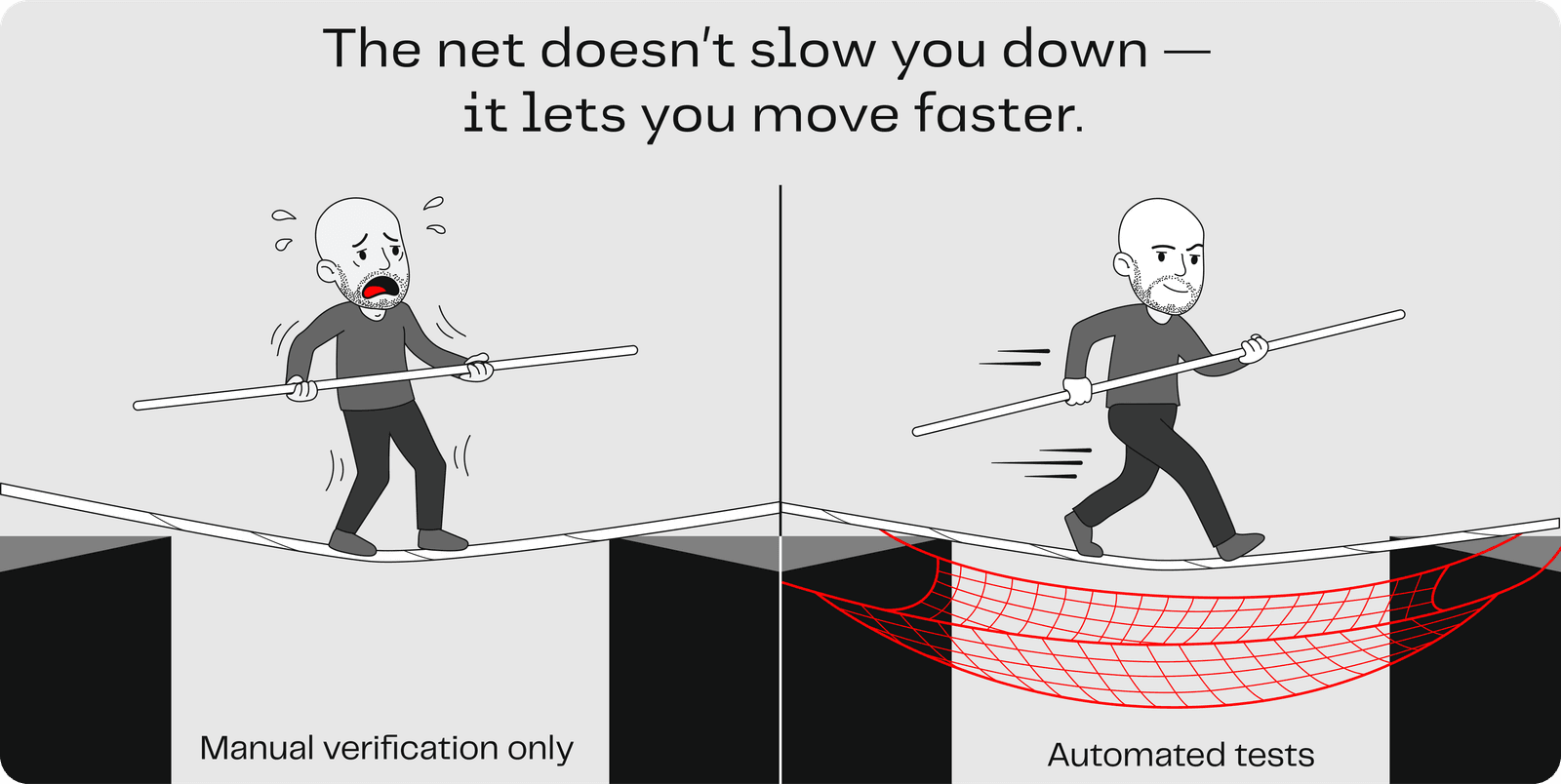
Your automated verification tests form a safety net. The net does not slow you down. It lets you move faster, because every change is verified automatically. You can have confidence that for every acceptance criterion you provide, the system will test it.
Think of it like...
Imagine you run a production line that manufactures aircraft parts. Every part needs to meet exact specifications. You could have an inspector manually measure each one. At low volumes, that works. But when production speeds up, manual inspection becomes the bottleneck: the inspector cannot keep up, and shortcuts get made.
The alternative is to build automated quality checks directly into the production line: sensors, gauges, and precision instruments that verify every measurement, every time, without variation. The inspector is still there, but they are reviewing results and handling exceptions, not measuring every part by hand.
Automated testing does the same thing for software. It turns your acceptance criteria into automated checks that run every time the code changes.
How Do You Verify AI Itself?
Automated tests work for code when the same action produces the same result every time. But remember what you learned in Lesson 1: AI is probabilistic and non-deterministic. You can send the same prompt twice and get different results. That creates a verification challenge anywhere AI is doing work, whether it is categorizing help desk tickets inside your application, decomposing a large user story into smaller ones, or summarizing a report for you. How do you know it did the right thing when the answer could be different every time?
You cannot write a traditional automated test for this, because there is no single "correct" output to check against. Instead, there is a practice called evals. The idea is simple: you build an answer key and measure how often AI gets it right.
For example, imagine your application uses AI to categorize incoming help desk tickets:
| Ticket | Expected Category |
|---|---|
| "I can't log in, it says my password is wrong" | Account Access |
| "The export button produces a blank spreadsheet" | Bug Report |
| "Can we add a dark mode option?" | Feature Request |
| "The app is very slow since the last update" | Performance |
You run the AI against these inputs and check whether it assigns the right category. When it gets one wrong, you do not change code to fix it. You change or refine the prompt. You grow the answer key over time as you discover new edge cases.
This lab will not go into depth on evals. The key thing to know is that the practice exists and it is how you apply automated testing to systems where the output can vary. The assertion strategy is different (scoring and grading instead of exact match), but the principle is the same: define inputs, define what "correct" looks like, and let the computer check.
Add Automated Testing Rules to Your Context File
Mob | ~5 minutes total | One person shares their screen. Everyone contributes.
You already have a repository and a context file from Lesson 1. Now you are going to add a rule that tells your AI assistant to build automated verification into everything it creates.
Prompt your AI assistant to add the following rule to your project context file:
## Testing Rules

- Practice test-driven development: write tests BEFORE writing production code
  to ensure 100% test coverage.
- Write unit tests for code-level logic verification.
- Every time you receive a user story with acceptance criteria, write end-to-end
  tests that verify each Given/When/Then scenario from the user's perspective.
- Run all tests and confirm they pass before telling me a feature is complete.
Once you have added the rule, send your AI assistant this prompt to make sure your workspace is ready:
Check that my workspace has the testing frameworks and dependencies
needed to run both unit tests and end-to-end tests. If anything is
missing, install it and confirm the setup works by running the test suite.
Your AI assistant will inspect your project, install whatever testing tools are needed, and verify they work. From this point forward, every feature it builds will come with automated verification built in.
Key Insight
Your acceptance criteria are your test definitions. Automated testing turns that manual, error-prone review process into a safety net that runs in seconds, every time, without variation. For deterministic code, you automate tests. For probabilistic AI behavior, you use evals. Together, they close the gap between "I hope this works" and "I verified it works."